GitHub is still GitHub,
just more like you want it to be.

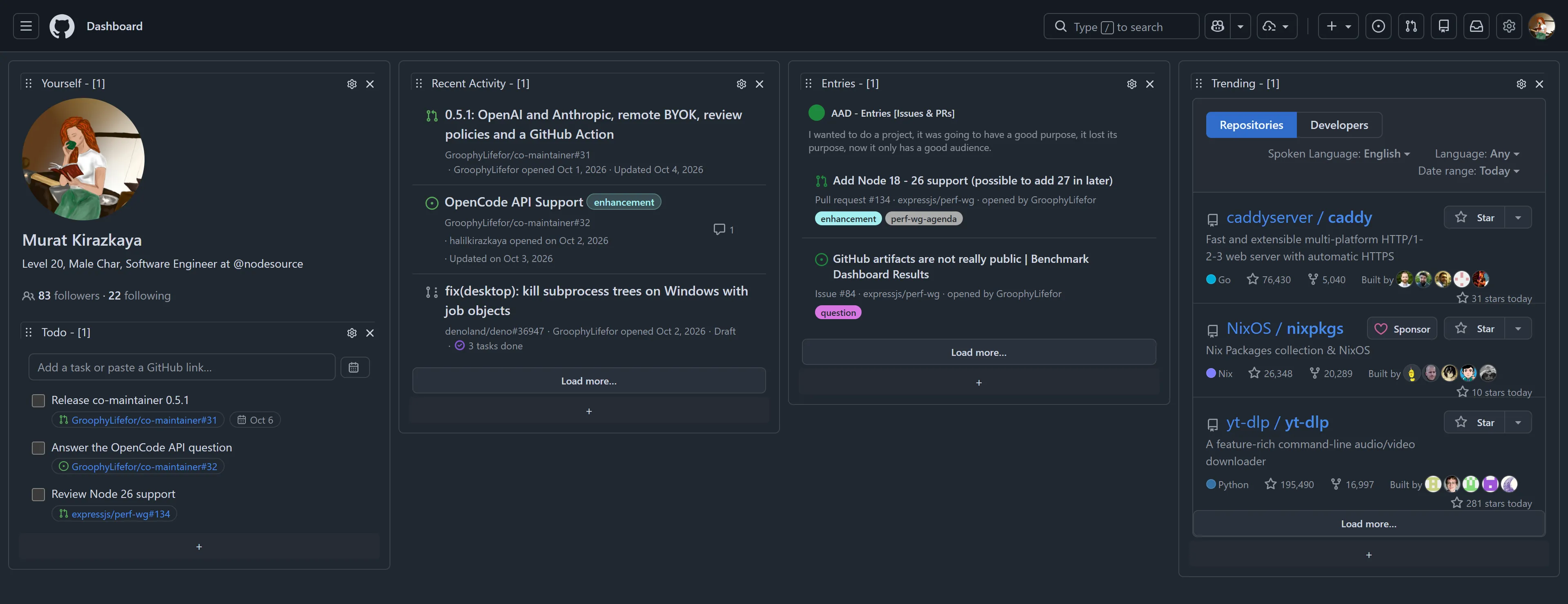
AAD turns your GitHub home page into a dashboard you arrange yourself: your pull requests, issues, activity and todos in columns, with previews that keep you on one page.

AAD dashboard on github.com with profile, todo, recent activity, entries and trending widgets

Features

One home page for the work you actually do.

Everything below runs inside github.com. There is no new app to learn and no account to create.

01 · Layout

Arrange it like a desk, not a feed.

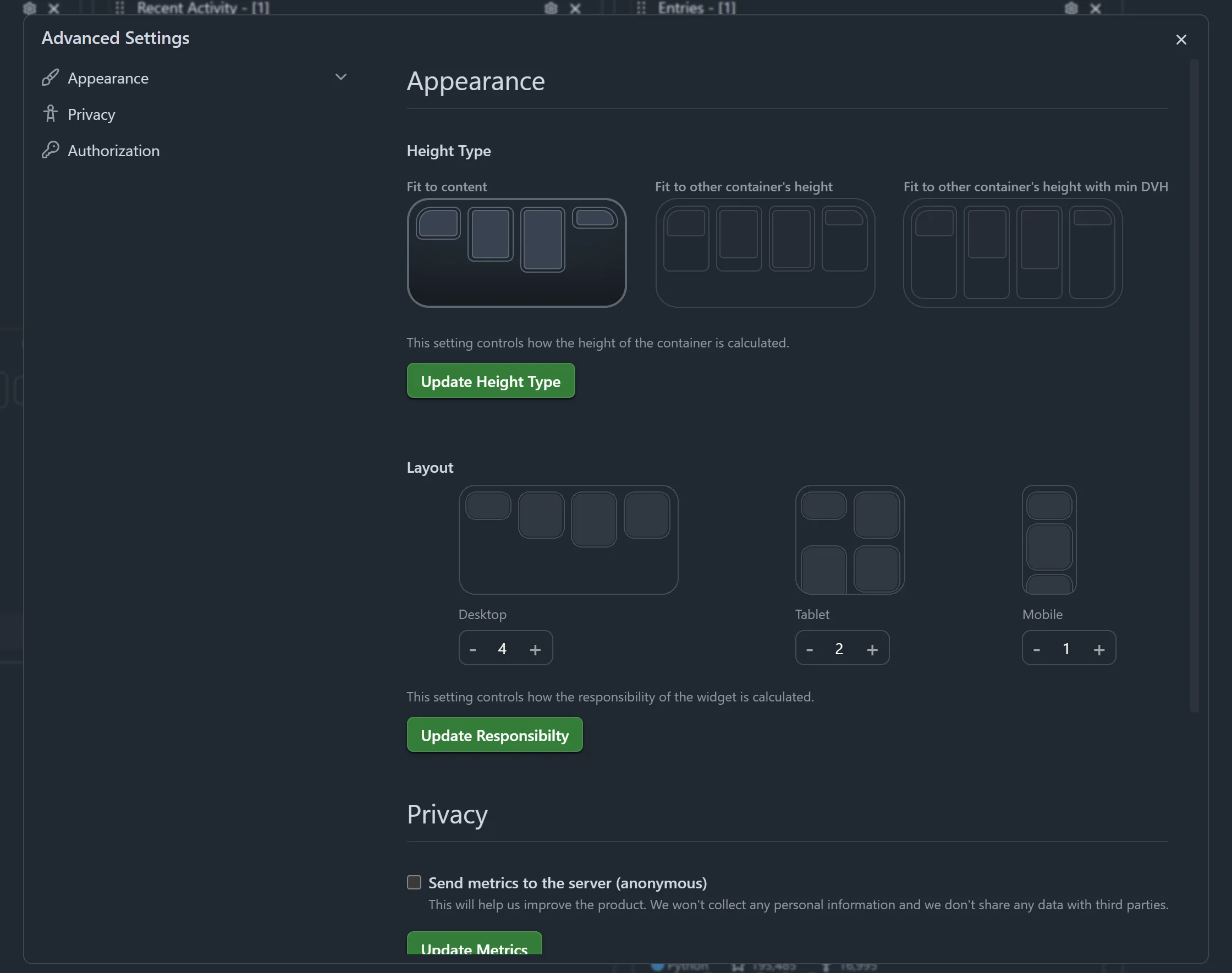
AAD replaces the GitHub home feed with columns of widgets. Drag widgets between columns, choose how many columns you get on desktop, tablet and mobile, and pick how column heights line up.

  • Drag and drop
  • Up to 16 columns
  • Desktop, tablet, mobile
AAD settings with height type and column layout options

02 · Widgets

Pick what lives on your home page.

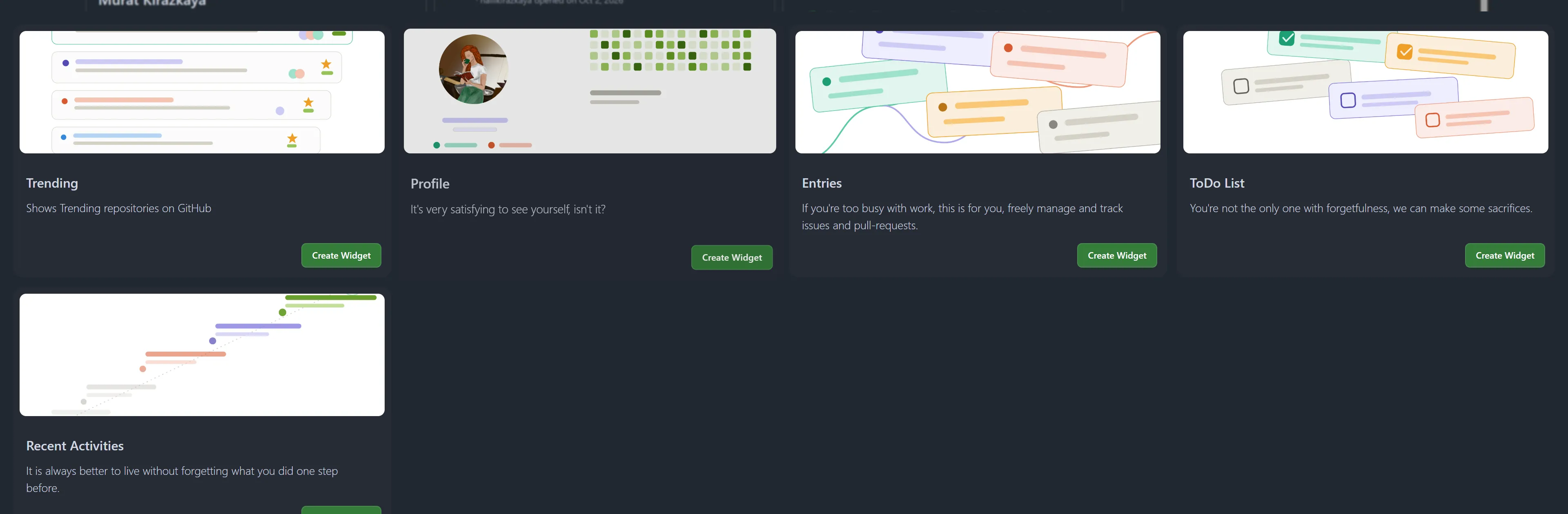
Every column has a + button. Add your profile, recent activity, filtered issues and pull requests, trending repositories or a todo list, as many times as you like.

  • Profile
  • Recent Activity
  • Entries
  • Trending
  • Todo
Widget picker with Trending, Profile, Entries, ToDo List and Recent Activities

03 · Entries

Your issues and pull requests, filtered your way.

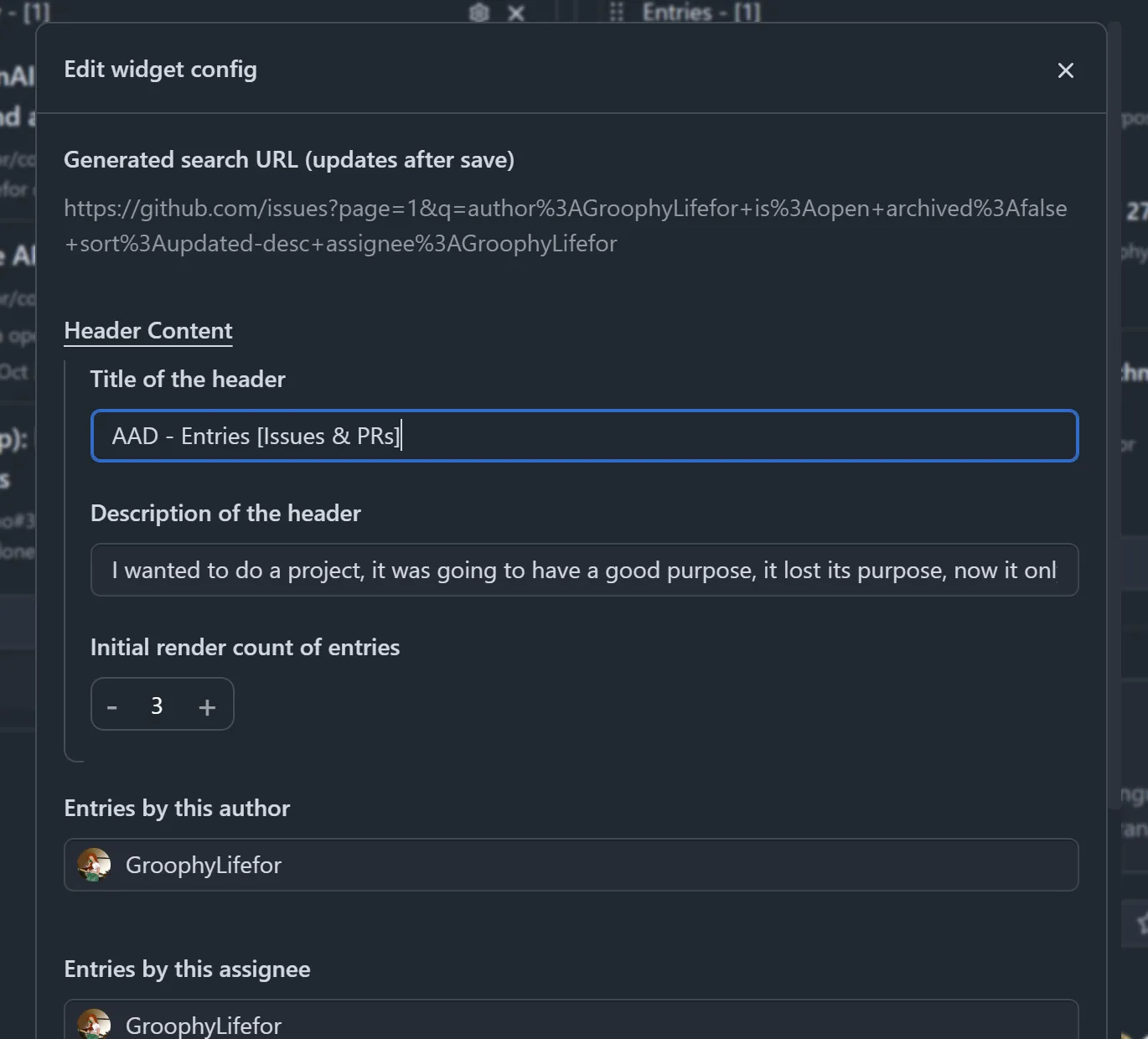
An Entries widget is a saved search. Filter by author, assignee, label, CI status and review state, show open or closed items, and keep several widgets side by side for different jobs.

  • Labels
  • CI status
  • Review state
  • Assignee
Entries widget settings with author, assignee and type filters

04 · Preview

Read a pull request without leaving the page.

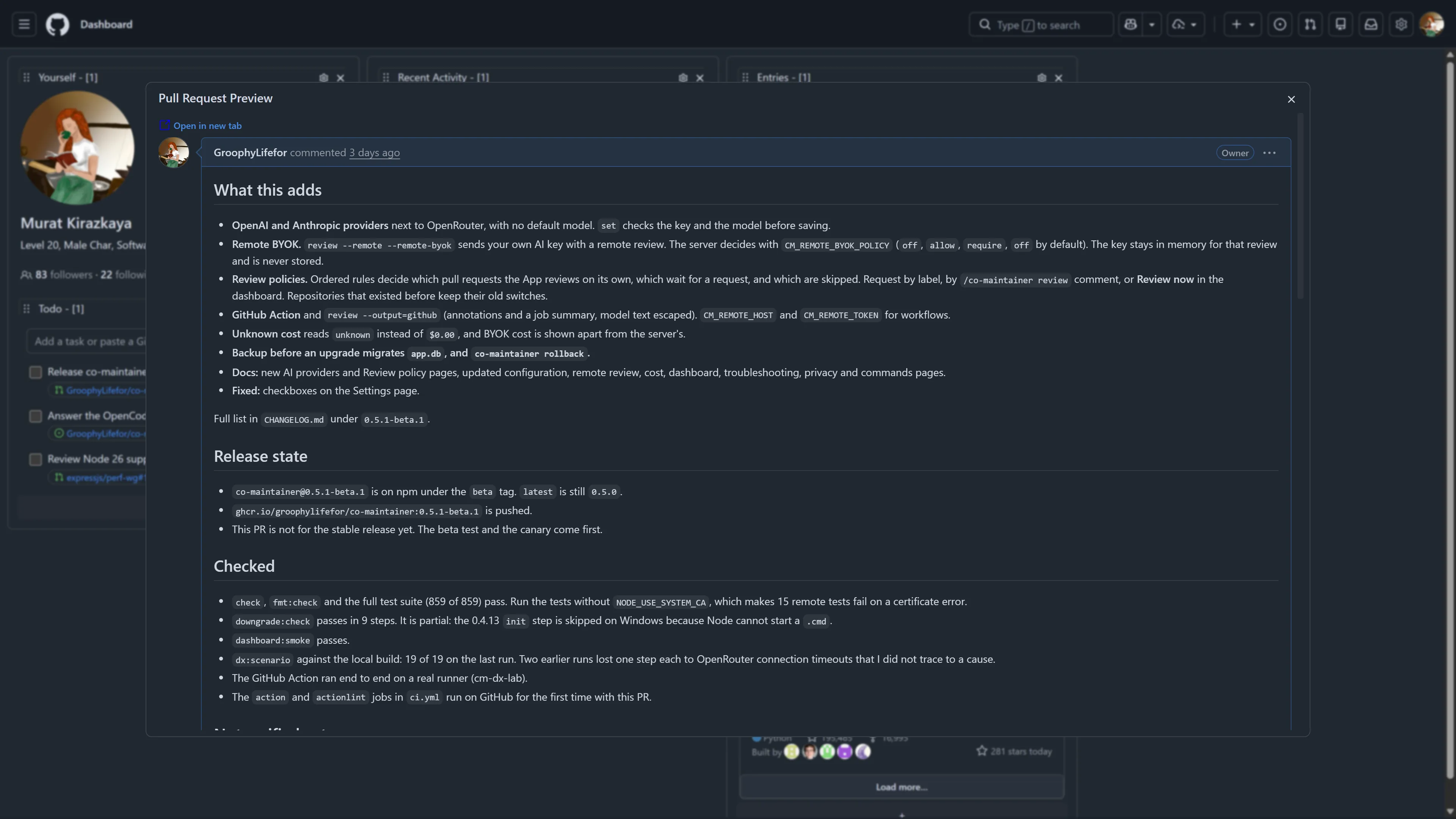
Pull requests, issues and repositories open in a modal over a blurred dashboard. Comments load right there, and one click opens the full page in a new tab when you need it.

  • Pull requests
  • Issues
  • Repositories
A pull request opened in a preview modal over the dashboard

05 · Quick look

Notifications at a glance.

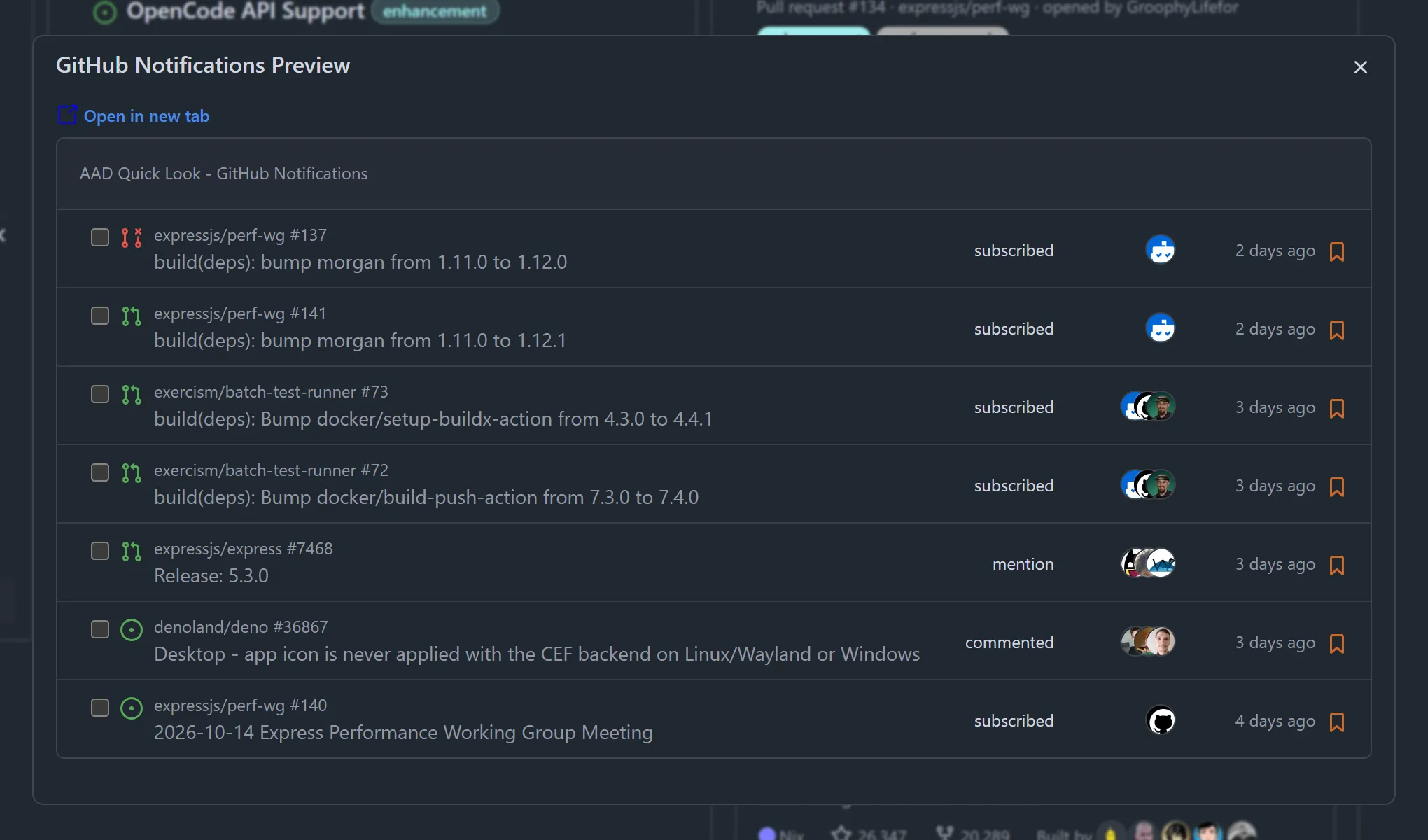
Click the notification bell and your inbox opens on top of the dashboard instead of on a new page. Your repositories have the same quick look.

  • Notifications
  • Your repositories
GitHub notifications in an AAD quick look modal

06 · Todo

A todo list that understands GitHub links.

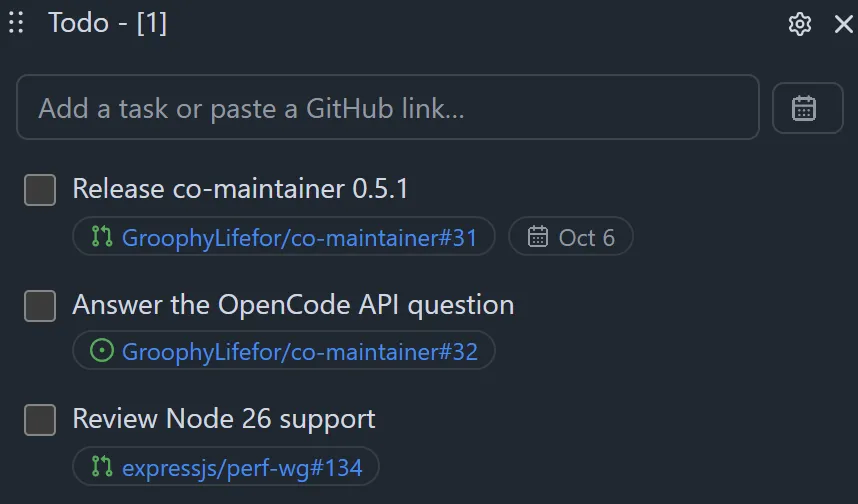
Paste an issue or pull request link and it becomes a chip that opens the preview. Add due dates, edit inline and undo a delete. Completed tasks fold away on their own.

  • Link chips
  • Due dates
  • Undo
Todo widget with three tasks linked to GitHub pull requests and issues

07 · Trending

See what's trending, on your terms.

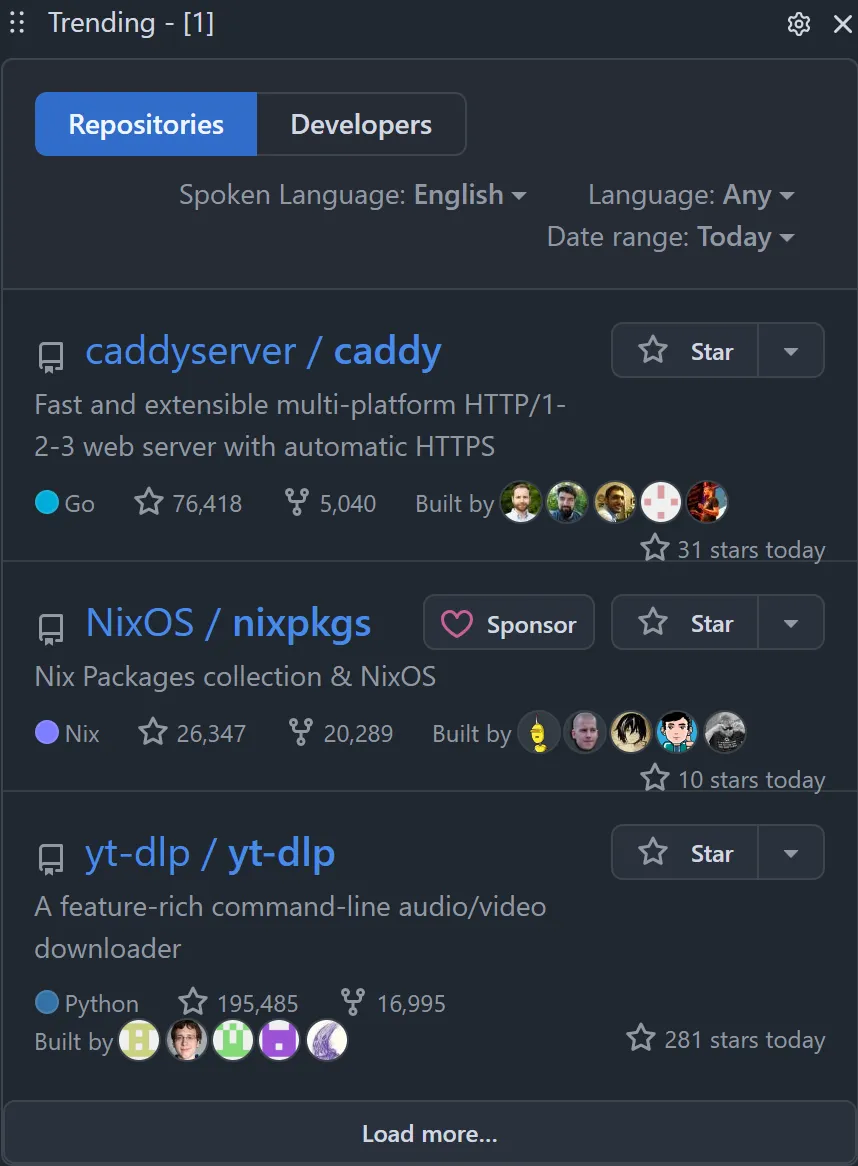
Trending repositories and developers, filtered by programming language, spoken language and date range, without leaving your home page.

  • Repositories
  • Developers
  • Language filters
Trending widget listing popular repositories of the day

Privacy

Private by default.

AAD is a stable, plain JavaScript extension with no AI features. It sends nothing to its own server unless you say so.

Read the privacy policy
Metrics are off by default
Anonymous usage metrics are opt-in. You can turn them on or off in the settings at any time.
Error reports ask first
When something breaks, AAD shows you a notice and sends the report only if you agree.
Your token stays in your browser
A GitHub token is optional. If you add one, it is kept in the extension’s local storage and used only for GitHub’s API.
Two permissions, one site
AAD asks only for storage and unlimitedStorage, and runs only on github.com.

Set up in under a minute.

  1. 1

    Install the extension

    Get AAD from the Chrome Web Store or Firefox Add-ons.

  2. 2

    Open github.com

    Your home feed turns into a dashboard with a starter set of widgets.

  3. 3

    Make it yours

    Add, remove and reorder widgets. Add a token if you want 5,000 API requests an hour instead of 60.

Frequently asked questions

Is AAD free?

Yes. AAD is free and MIT licensed, with no paid tier.

Do I need a GitHub token?

No. Without a token AAD reads the same pages you see on GitHub. A personal access token raises GitHub’s API limit from 60 to 5,000 requests an hour, which helps with larger Entries widgets and long comment threads.

What data does AAD collect?

Nothing by default. Anonymous metrics are opt-in, and error reports are sent only after you agree. The privacy policy lists every field.

What happens when GitHub changes its interface?

AAD has fallbacks for most of GitHub’s markup. When something still breaks, it shows a notice with a link to open an issue, so it can be fixed quickly.

Which browsers are supported?

Chrome, through the Chrome Web Store, and Firefox, through Firefox Add-ons.

Build your GitHub home today.

Free, private by default, and ready the next time you open github.com.